# 🐾 Tabby
[](https://github.com/TabbyML/tabby/actions/workflows/ci.yml)
[](https://hub.docker.com/r/tabbyml/tabby)
[](https://opensource.org/licenses/Apache-2.0)
[](https://join.slack.com/t/tabbycommunity/shared_invite/zt-1xeiddizp-bciR2RtFTaJ37RBxr8VxpA)
Tabby is a self-hosted AI coding assistant, offering an open-source and on-premises alternative to GitHub Copilot. It boasts several key features:
* Self-contained, with no need for a DBMS or cloud service.
* OpenAPI interface, easy to integrate with existing infrastructure (e.g Cloud IDE).
* Supports consumer-grade GPUs.


## 👀 What's New
* **08/31/2023** tabby's first stable release [v0.0.1](https://github.com/TabbyML/tabby/releases/tag/v0.0.1) 🥳.
* **08/28/2023** Experimental support for the [CodeLlama 7B](https://github.com/TabbyML/tabby/issues/370).
* **08/24/2023** Tabby is now on [JetBrains Marketplace](https://plugins.jetbrains.com/plugin/22379-tabby)!
## 👋 Get Started
The easiest way to start a Tabby server is by using the following Docker command:
```bash
docker run -it \
--gpus all -p 8080:8080 -v $HOME/.tabby:/data \
tabbyml/tabby \
serve --model TabbyML/SantaCoder-1B --device cuda
```
For additional options (e.g inference type, parallelism), please refer to the documentation at https://tabbyml.github.io/tabby.
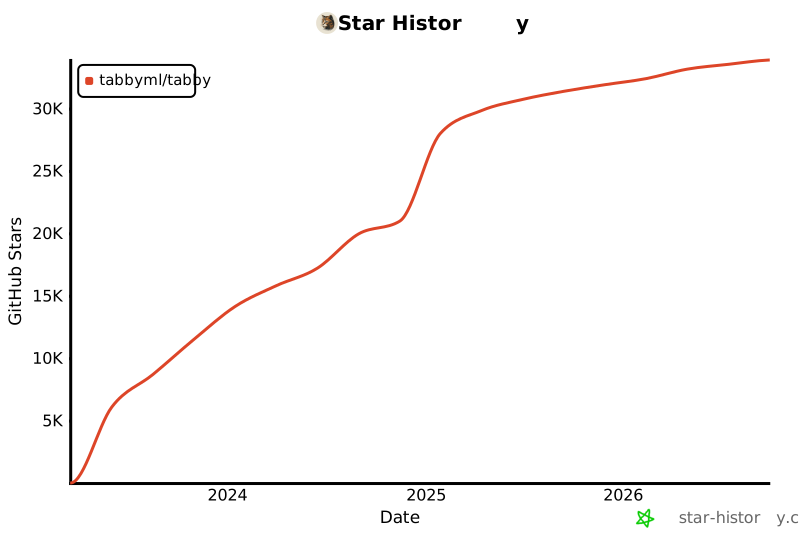
## 🌟 Star History
[](https://star-history.com/#tabbyml/tabby&Date)