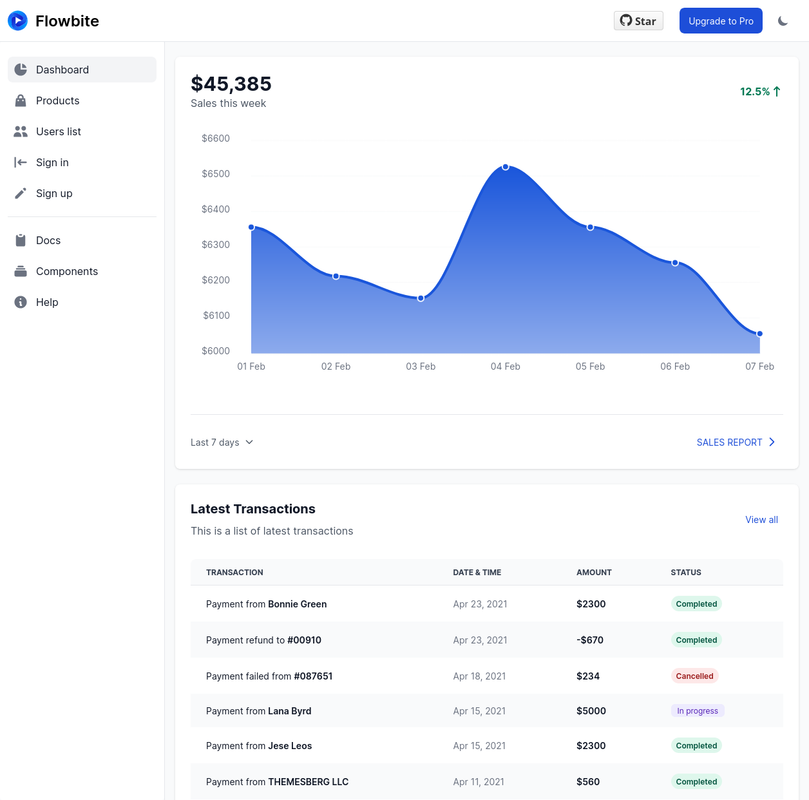
Get started with a premium admin dashboard layout built with React, Tailwind CSS and Flowbite featuring 21 example pages including charts, kanban board, mailing system, and more.

**You can [copy/paste code you want from this project](#how-to-use-in-your-own-project), or [use the whole thing for your website](#how-to-install).**
## Table of Contents
- [How to use in your own project](#how-to-use-in-your-own-project)
- [How to install](#how-to-install)
- [Assumptions](#assumptions)
- [How to develop locally](#how-to-develop-locally)
- [How to build for production](#how-to-build-for-production)
- [How to deploy](#how-to-deploy)
## How to use in your own project
In this case, we assume you already have a `nodejs` project with a `package.json`.
You can copy any of the code from the `.tsx` files in `src/pages` to your own `nodejs` project. Some pages contain optional dependencies discussed further below. Pages might also use some of the static files found in `public`.
Your project will need to have [`flowbite-react`](https://github.com/bacali95/flowbite-react) installed. That's it! If you're unfamiliar, see [the open-source guide on how to install `flowbite-react`](https://github.com/themesberg/flowbite-react#getting-started).
Optional dependencies include:
- [`react-icons`](https://react-icons.github.io/react-icons/) for most of the many icons used
- [`react-apexcharts`](https://github.com/apexcharts/react-apexcharts) for charts/graphs found on [Dashboard page](https://github.com/themesberg/flowbite-react-admin-dashboard/blob/main/src/pages/index.tsx)
- [`react-sortablejs`](https://github.com/SortableJS/react-sortablejs) for Kanban-style boards found on [Kanban page](https://github.com/themesberg/flowbite-react-admin-dashboard/blob/main/src/pages/kanban.tsx)
- [`svgmap`](https://github.com/StephanWagner/svgMap) for maps found on [Dashboard page](https://github.com/themesberg/flowbite-react-admin-dashboard/blob/main/src/pages/kanban.tsx)
## How to install
### Assumptions
- You can open a shell/terminal/command prompt
- You have `git` instaslled and can run `git` in the shell
- You have `nodejs` installed and can run `node`, `npm` in the shell
Install [`yarn`](https://yarnpkg.com/)
```sh
npm i -g yarn
```
Clone this repository
```sh
git clone https://github.com/themesberg/flowbite-react-admin-dashboard.git
cd flowbite-react-admin-dashboard
```
Install dependencies for this project
```sh
yarn install
```
## How to develop locally
Once run, this command will display a link to the local server.
```sh
yarn dev
```
## How to build for production
Your code won't build if you have TypeScript errors. Otherwise, the command will report how large the output files are, which should go to `dist` folder.
We use [vite](https://vitejs.dev) to build and its default behavior is to emit an `index.html`, `app.js`, and `app.css`.
```sh
yarn build
```
## How to deploy
You can deploy this repository to any hosting service from Cloudflare Pages, Vercel, or Github Pages to Heroku to AWS to your own Nginx server.
However, `react-router` needs your server to send all requests to `/`. This is commonly referred to as a [Single Page Application (SPA)](https://developer.mozilla.org/en-US/docs/Glossary/SPA). You will have to add a rewrite to accomplish that. To host on Vercel, for example, you just need to add a `vercel.json` with:
```json
{
"routes": [
{
"src": "/[^.]+",
"dest": "/",
"status": 200
}
]
}
```
Most, but not all, providers have a mechanism to do this, but we can't cover them all here.
Alternatively, you can change this app to server-side render. `vite` isn't designed to do that, so you'll need to use a plugin to create an HTML file for each page. `vite` [has a section in their docs](https://github.com/vitejs/awesome-vite#ssr) about SSR plugins and they seem great.